Thursday, December 31, 2020

How the Difference between Porsche piwis 3 and piwis tester 2 VCI?

 Along porsche piwis tester iii diagnostic and programming tool released, lots of customers may confused about Porsche tester Piwis 2 or Piwis 3 which one to choose? Is it worth to purchase Piwis 3 replace Piwis 2 now? Can Samtec Piwis 2 compatible with Piwis 3 Software?


Here OBD2cartool.com will share you Porsche Piwis 3 Compare With Porsche Piwis Tester 2.


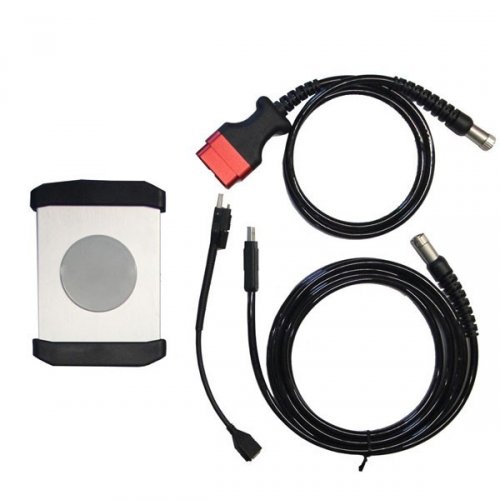
High Quality Samtec Piwis 2 tester Wifi Piwis II VCI for Porsche


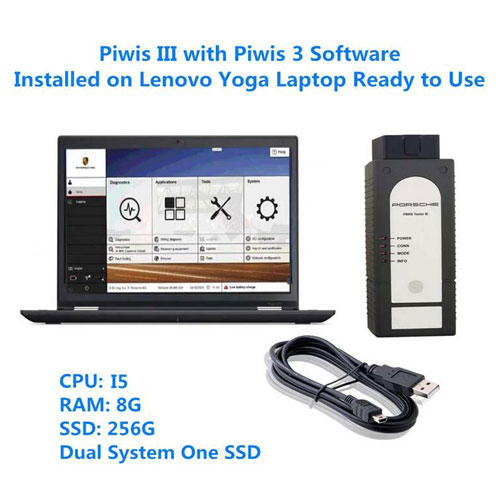
Porsche Piwis 3 Tester III Diagnostic With V39.500 Software Installed on Lenovo Ready to use


Differences between Porsche piwis tester iii with Piwis tester 2?


First of all, the Piwis 2 interface is a lot more robust piece of equipment, compared to the cheesy and flimsy looking and feeling interface produced by Actia for Piwis 3.


Secondly, Piwis 2 vci latest software 18.15 support till 2018 car models best price from obd2cartool.com $369.99. Porsche Piwis 3 Tester III Diagnostic With V39.500 Software Installed on Lenovo Ready to use Support all Porsche till 2020 best price $1,299.00. If you have a garage for many newer car models you do better to choose Piwis tester 3.


Third, Porsche PIWIS III which sell with laptop and software installed ready to use. You can get both cases the VCI and software have been modified to disable factory authentication and naturally there is no automatic updates. If you did have a PPN account, this tool would update normally.


Finally About Piwis 2 and Piwis 3 Update: Piwis 2 you can only buy a new HDD OR SSD to update. Piwis 3 you need to Send Laptop with SSD back to upgrade, 1 year for free, after one year, 100usd/time. You can also Send SSD back or buy a new SSD.


More message welcome contact with WhatsAPP(+86-13537734676) or Skype(great2obd) for Nice price.

Tuesday, November 10, 2020

How to replace and programming Mercedes ME 9.7?

How to replace and programming Mercedes ME 9.7? 


Mercedes ME 9.7 ECU is a more frequently replaced parts,obd2cartool will show you a step-by-step guide on how to use KTAG to read/write Mercedes Benz ME9.7 And try this procedures at your own risk!


How to replace and program Me 9.7 with Ktag:

You need:


Ktag or KTM100 (to help write data)

Mercedes ME 9.7 ECU (for replacement)

Renew cable (to write data into the new ECU)


Step 1: Remove the ME9.7 ECU from vehicle,and open the ECU shell carefully.


Step 2: read and save original ECU data with Ktag programmer

Connect then cable 14P600KT02 to the connector of ECU.

Refer to below pin out diagram:

Red color: Pin 15, 16: +12V

Black: Pin 2: GND

Apply solder paste on the red area in ECU

used K-TAG ecu chip tuning tool to read out Mercedes ME9.7 ECU 


Step 3: connect the new ECU and Ktag with the ME9.7 renew cable

Step 4: write the data into the new ECU with KTAG 7.020 


When you get the original ECU data, just use this renew cable to connect to Ktag to write to Mercedes ME9.7 ME 9.7 ECU.  With this cable, you won’t need to open the ECU to write data anymore.


How about the China Mercedes ME9.7 ECU ECM Engine Computer ?

Mercedes ME9.7 ECU ECM Engine Computer ME 9.7 Programming work All Series 237 Engine 4.6L 4633CC V8/5.5L5641CC V8


1. Mercedes ME9.7 ECU Engine Computer can program it online directly.

2. Unlock an used ME9.7 ECM in order to adapt it with SDS, Autologic, etc

3. Can work with KTAG/KTM100 to read and write ECU data for your car new ECU.

4. If work with Mercedes Benz ECU ME9.7/272-273/ Renew Cable , there no need to remove the ecu from the car when programming new ecu.

5. Can work with MB SD C4/C5 to do online programming with SCN code.

6. No need for additional programming, just install the new ECM and the car will start! 


Note: The ME9.7 renew cable CANNOT be connected to original ME9.7 ECU computer. It is confirmed to work with Me 9.7 ecu without issue. 

Wednesday, January 8, 2020

How to install DIY MQB HEX V2 VCDS 20.12.0 software?

How to install Or update DIY MQB HEX V2 VCDS 19.6.2 software?
DIY Hex-v2 20.12.0 is the new generation of vag com vcds obd2 diagnostic interface for vag vehicles.  DIY MQB platform HEX V2 VAG model year coverage from 1995 – 2020 year. It is work with MQB cars and MY2020.


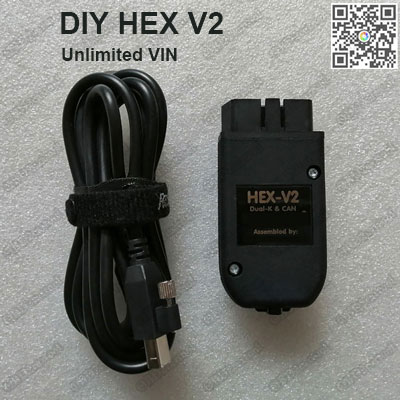
DIY VAG COM 20.12.0 HEX V2 Interface MQB HEX V2 unlimited VIN Diagnostic Cable for VW Audi Seat Skoda


MQB HEX-V2 20.12.0 Intelligent Dual-K & CAN USB Interface Car Auto Fault Diagnosis cable install guide:

Install English version steps:
1. Download the original Release 20.12.0 from the offcial website or Copy the program from obd2cartool.com CD
2. Install VCDS 20.12.0 , when installing any software not plug the cable with your pc(Note: if your pc is 64bits, pls choose the option install 32bits to 64bits)
3. Plug MQB HEX V2 interface into the car and pc, run vcds 19.6.2, first time pls click test and save.
do the risk by yourself.


Install other language steps: (French, German, Russian, Italian, Swedish, Danish, Czech, polish, Dutch, Hungarian, Portuguese, Spanish, Slovenia, Romania.)
1. Download the original Release -XX-20.4.2 from the offcial website or Copy the program from obd2cartool.com CD
2. Install VCDS-XX- 20.4.2 , when installing any software not plug the cable with your pc
3. Install the V2 Loader-EN-Installer.exe
3. Plug MQB HEX V2 interface into the car and pc, run VIIPlusLoader , click start VCDS,  choose the language you want or pull the vcds-XX- shortcut into loader . first time pls click test and save.
Do the risk by yourself.

Whatsapp:+86-13537734676
Email: obd2cartool@hotmail.com
Skype: great2obd
If you have any problem, please do not hesitate to contact us.
Saturday, September 29, 2018

Recommend useful tools Work for KESS V2/Ktag/ Fgtech

KESS KTAG KTM Fgtech Dimsport especially for ECU programmer.   ECU Programming Tool is designed entirely around the needs of our customers to be more responsive and reliable. There obd2cartool.com Recommend some useful tools Work for KESS V2/Ktag/ Fgtech

4 LED KTAG 7.020 Red PCB EU Online Version Original cover ktag 7.020 Unlimited Tokens


1. KTAG KESS KTM Dimsport BDM Probe Adapters Full Set 22pcs (Denso, Marelli, Bosch, Siemens), This is a full set of BDM adapters for K-TAG/KESS /KTM/Trasdata chip tuning tool


2.  ECU Cover Open Tool ECU Opening Bosch ECU Cover Extractor Car Computer Remover Tool For KESS/KTAG/Fgtech V54,  ECU Cover Extractor Removal Tool designed to remove/ install car ECU computer cover easily.
ECU Cover Open Tool ECU Opening Bosch ECU Cover Extractor Car Computer Remover Tool

3. High Quality Stainless Steel BDM Frame for BDM Programmer CMD100
High Quality Stainless Steel BDM Frame for BDM Programmer
Good NEWS, Now these 3 items full set price only :$339.89  $259.90 !!!  Model: EBD259

More details:
Whatsapp:+86-13537734676
Email: obd2cartool@hotmail.com
Skype: great2obd
If you have any problem, please do not hesitate to contact us.


Wednesday, August 1, 2018

How to set MB SD C4 Xentry DAS language?

Mercedes Benz Star diagnostic C3/ C4/C5 is compatible multi languages, MB SD Connect Compact 4 DAS and Xentry including Bulgarian, Danish, Greek,Spanish, French, Italian, Korean, Polish, Romanian, Serbo-Croatian, Turkish, Czech, German, English, Finish,Hyngarian, Japanese, Dutch, Portuguese, Russian, Swedish and Chinese. Do you know how to change DAS and Xentry V2018.7 language? There obd2cartool.com will share steps to you.

Setting MB SD Connect C4 XENTRY language :

Step 1: Open 2018.07 XENTRY software on the desktop. Select “System Setting” icon marked red below

Step 2: Select “Setting language” under System setting. Select the language you want on the right program.

Step 3: Click “OK” when the system pops out “Xentry must be restarted for these changes to take effect” message.


Mercedes Benz Star diagnostic C3/ C4/C5 DAS change:

Step 1: Right click the Shortcut DAS icon open DAS Properties and choose Shortcut

Step 2: Replace Target DAS\bin\das32r2.exe“-len” in Target column to “-ide”

Step 3: Click “OK” to save setting.


MB Star SD Connect C4 XENTRY/DAS language are set and saved, do test as you like.
Whatsapp:+86-13537734676
Email: obd2cartool@hotmail.com
Skype: great2obd
If you have any problem, please do not hesitate to contact us.

Saturday, May 5, 2018

Recommend Stable VAG COM 18.2 full Vag hex can cable

VAG COM 18.2 Interface is latest full active vag diagnostic cable centre.  VCDS 18.2 full active cable support For VW Audi Seat Skoda till 2017 model. VCDS 18.2.0 hex can usb interface very easy to install and Running very stable, it is with Automatic recovery function  .


Stable vag com 18.2.0 vcds 18.2 full active Vag hex can cable
Newer VAG COM 18.2 interface For VW Audi Seat Skoda


VAG COM VCDS 18.2.0 Auto diagnostic tool:

Software Version: VCDS 18.2
Firmware Version: 1.96
Supported Vehicle List: For AUDI VW SEAT SKODA
System requirement: Windows XP, Vista, 7, 8 and 10(32-bit and 64-bit)
(It does not support Windows 95, 98, ME, and NT4 operating system)
Only one VCDS 18.2 program on CD,install just click next .


Stable vag com work Language :

VAG COM 18.2 English version
VAG COM 18.2.1 German Deutsch version
VAG COM 18.2.1 Romania România version
VAG COM 18.2 Danish Dansk version
VAG COM 18.2 French français version
VAG COM 17.8.1 Spanish Español version

How to work with VAG 18.2 software? Very easy!!
Please do as these steps:
1. Run CD vag com 18.2 software
2. Click next till finish, not run software,just close it
3. Plug cable with computer and car, run vcds 18.2 , do test
all done

Whatsapp:+86-13537734676
Email: obd2cartool@hotmail.com
Yahoo: obd2cartool@yahoo.com
Skype: great2obd
If you have any problem, please do not hesitate to contact us.

Friday, April 27, 2018

Which key programmer can Cover All Volvos?

As a vehicle repair technician, this is especially prominent when you need to program your customers' keys, but it always cannot cover all the vehicle models. Just like Tango and tmpro2 cannot cover all Volvos key programming, obd2cartool is highly recommend Lonsdor K518ISE key programmer .

Lonsdor K518ISE full better than SKP1000 Tablet Key Programmer, Lonsdor K518ISE key programmer rather than other auto key programmer tools is widely used to programming Volvo keys. Volvo (S40, S60, S80, XC60, XC90, C30, C70, V40, V60, V70) key programming.


Series     Origin     Year     Fuel Type     Function

S60        Other      Other    Other         Proximity Key[insert key to start]
S60        Other      Other    Other         Smart Key[one-button start]
S80        Other      09-        Other         Smart Key[one-button start]
XC60     Other      09-        Other         Smart Key[one-button start]
S80        Other      09-        Other         Proximity Key[insert key to start]
XC60     Other      09-        Other         Proximity Key[insert key to start]
S40        Other      Other    Other         Smart Key
S40        Other      Other    Other         Key Programming
S80        Other      -09        Other         Proximity Key[insert key to start]
V40        Other      Other    Other         Proximity Key[insert key to start]
C30        Other      Other    Other         Key Programming
C30        Other      Other    Other         Smart Key
V40        Other      Other    Other         Smart Key[one-button start]
S80        Other      -09        Other         Smart Key[one-button start]
V60        Other      Other    Other         Proximity Key[insert key to start]
V60        Other      Other    Other         Smart Key[one-button start]
XC60      Other      -09       Other         Proximity Key[insert key to start]
XC60      Other      -09       Other         Smart Key[one-button start]
XC90      Other      Other   Other         Flip Key
C70        Other      Other   Other         Key Programming
C70        Other      Other   Other         Smart Key
V70        Other      09-       Other         Proximity Key[insert key to start]
V70        Other      09-       Other         Smart Key[one-button start]

Pay attention: the above coverage is tested 100% ok by Lonsdor professional staff.

Wanna more Volvo update on official site: http://en.lonsdor.com/html/function/50

The following is the coverage of Tango transponder programmer and tmpro2 for Volvo models:

- Tango does not do keys from 2004 (Xc70, Xc60, C30, S60, S80 and V70)

- tmpro2 does:

s80 06-09 delphi
v70 06-09 delphi

Odometer Adjustment Car List:

VW, Porsche, Ford, Jaguar, Land Rover, Mazda, Audi, Renault, Hummer, Hyundai, Kia...
More high-end cars will be updated very soon.

In conclusion, there is no doubt that Lonsdor K518ISE covers much more Volvo models than just both of them.

More Lonsdor K518ISE, please click the following link to know more: http://www.obd2cartool.com/lonsdor-k518ise-key-programmer-with-odometer-correction-supports-vw-4th5th-immo-and-bmw-fembdc-p-1482


Friday, April 13, 2018

Discrepancy MPPS V18, Kess, KTAG and FgTech 4 ECU tools

Unniverse, full of discrepancy.  By the same token, everything, every people play its own role in earth so that they could strictly abide by their rules and accomplish their duties. All these things is a snapshot of our today's topic on car ECU programmer tools, they are MPPS V18, Kess v2, KTAG 7.020 and FgTech v54. Read, read, read carefully. This post will definitely help you


Mainly difference among them are communication, please look at the following chart:

So, KESS v2 supports obd2, boot
MPPS v18 works for obd2, Multiboot, Tricore for Marelli ECU’s
KTAG can work for bdm, j-tag, boot
FgTech Galleto v54 4 (or Fgtech 2) work no issues with obd2, bdm, j-tag, boot


Thus, three options are available for OBD2 connection: kess v2, mpps v18, fgtech v54

3 options for BOOT: kess v2, k-tag, fgtech galletto

2 options for BDM: ktag, fgtech

2 options for JATG: ktag, fgtech 4/2

Only 1 way for Tricore: MPPS V18!

After you read them above, you must know why you need to purchase more than one ecu programmers.

 Whatsapp:+86-13537734676
Email: obd2cartool@hotmail.com
Skype: great2obd
If you have any problem, please do not hesitate to contact us.

Why should we choose to get Galletto V54 4 and kess v2 together?

Galletto 4 FGTech V54 work with truck, including Benz truck, read and write ECU via both BDM and OBD; KESS not works with truck, read and write ECU via only OBD, not BDM.

Why should we choose to get Kess v2 and Ktag together?

KESS V2 is a ECU programming tool that is perfect for OBD use, while KTag is perfect for Jtag, BDM and all the Boot application (tricore and ST10).


With KESS V2 you programming directly through the OBD port of the vehicle, while with Ktag (Ktag 2.13) you need to take apart the ECU and open it, after you can make the read/write operation.

Many ECU has the advantage that can be read and write from OBD port (so KESS V2 is perfect), but there are lot ECU that need to disassemble from the car and open and this is the case for all the ECU that need to be programmed with Jtag, BDM and Boot protocols, so KTAG is needed.

Why should we choose to get Fgtech 4, Kess v2 and Ktag all together? 

As we all know, there are no things are universal in this world. Anyways, there are no repair tools will cover all cars vehicles and if you buy clone tools, buy all (galletto+kess+ktag) from them, in order that you could cover much more vehicles, or,  you had better to get a nice original tool if you need to program, it is all decided by you.

Friday, March 16, 2018

STOBD TPMS Automotive Tire Pressure Sensor For full cars

STOBD is a newer hand-hold Automotive Tire Pressure Monitor Sensor for full cars. obd2cartool STOBD TPMS profession at all brand cars in the replacement tire pressure sensor or tire pressure alarm or exchange tires, need to carry out tire pressure reset operation.


STOBD TPMS Features:

Simple, Fast and Easy to Use
Durable construction to withstand the rugged shop environment
Tester activates the individual TPM sensor with the press of one button
Includes a protective rubber boot
9 volt battery is Not Included
obd2cartool.com STOBD TPMS Support all cars untill 12.2017 years, best one!!

STOBD TPMS support car list:
Appendix (for models):

For Benz cars untill to 12.2017
For BMW cars untill to 12.2017
For Audi cars untill to 12.2017
For VWgroup cars untill to 12.2017
For GM/Daewoo cars untill to 12.2017
For Ford cars untill to 12.2017
For Chrysler cars untill to 12.2017
For Renault  cars untill to 12.2017
For Citroen Peugeot cars untill to 12.2017
For Ferrari cars untill to 12.2017
For Fiat cars untill to 12.2017
For IVECO cars untill to 12.2017
For Toyota cars untill to 12.2017
For Honda cars untill to 12.2017
For Mazda cars untill to 12.2017
For Nissancars untill to 12.2017
For Mitsubishi cars untill to 12.2017
For Kia Hyundai cars untill to 12.2017
and more....

Whatsapp:+86-13537734676
Email: obd2cartool@hotmail.com
Yahoo: obd2cartool@yahoo.com
Skype: great2obd
If you have any problem, please do not hesitate to contact us.

Tuesday, March 13, 2018

Best ECU Chip tuning KTAG + KESS + bdm fram

KESS V2 is a ECU programming tool that is perfect for OBD user, With KESS V2 5.017 you programming directly through the OBD port of the vehicle. While KTag is perfect for Jtag, BDM and all the Boot application (tricore and ST10), with Ktag 7.020 you need to take apart the ECU and open it, then you can make the read/write operation.

Many ECU has the advantage that can be read and write from OBD port (so KESS V2 is perfect), but there are lot ECU that need to disassemble from the car and open the case for all the ECU that need to be programmed with Jtag, BDM and Boot protocols, so KTAG is needed.


4 LED KTAG 7.020 Red PCB EU Online Version Original cover ktag 7.020 Unlimited Tokens


works better, faster and more stable than old versions

1. Mainly Different: obd2cartool K-TAG 7.020 add a GPT cable to support GPT Functions
( GPT is new password algo cryptography that is implemented in new Tricore microcontrollers. red EU KTAG v7.020 can easily read and decrypt the secret password and it automatically unlocks/unprotects the Tricore sectors so it can read and write both Flash and Eeprom )
2. No reset button , No USB Dongle. No Tokens Limited!!!
3. Real version of KTAG 7020 EURO all Active version!!!
4. Full components no need rework!!


KESS V2 V5.017 EU Red PCB Unlimited Online Original case kess V5.017 ECM Titanium

Compared to KESS V4.036, obd2cartool KESS 5.017 has been improved a lot:

1. Master Version. SW Version: 2.23. Hardware Version: 5.017. Support Cars/Trucks/Trackor.
For EU case KESS V5.017, The software is V2.23 ! V2.23 is more stable than V2.33 and do not need any installation instruction, just click: Next Step, then everything works well.
2. It supports More 140 Protocols Than the HW V4.036 KESS.
3. You can use it Online and it will not damage the hardware.
4. SW support multi-languages: English, German, Spanish, Italian, Portuguese, French
5. Update Method: by Link to download
6. No Token Limitation: can be used unlimitedly, no need to worry about tokens any more.
5. Powerful function, support much more ecu list than old version.
7. No Checksum Error
8. Working System: Windows XP Professional /Win7 / Win 8/ Win 10
9. With coverage of all major brands and protocols including Line, CAN, EDC17 and MED17 and for Ford J1850. KESS V2 is everything you need to work as a successful tuner at a very affordable price.
10. Read and write ECU via OBD2 port directly, no need disassemble ECU from the car, easy to use
11. Software without usb dongle, more Convenience.


KTAG KESS KTM Dimsport BDM Probe Adapters Full Set 22pcs (Denso, Marelli, Bosch, Siemens)

 A full set comes with 22 BDM adapters.

FULL SET OF K-TAG ADAPTERS FOR POSITIONING FRAME 
INCLUDES FOLLOWING ITEMS:

1 14AM00T01M Bosch
2 14AM00T02M Delphi DCM
3 14AM00T03M Bootloader ST10xx
4 14P600KT04 Infineon Tricore EDC/MED17
5 14AM00T05M Marelli MPC55xx JTAG
6 14AM00T06M Delphi MPC55xx JTAG
7 14AM00T07M Denso CN1 Boot
8 14AM00T08M Denso CN2 Boot
9 14AM00T09M Denso CN3 Boot
10 14AM00T10M Denso CN1 AUD
11 14AM00T11M Denso CN2 AUD
12 14AM00T00M Delphi DCI
13 14AM00TBAS Base Adapter 1.27
14 14AM00T14M NexusEFI T6 Lotus
15 14AM00TB02 Magneti Marelli BDM insert
16 14AM00TB01 Siemens BDM insert
17 14AM00TB03 EDC7 BDM insert
18 14AM00T18M Magneti Marelli MPC/SPC56xx
19 14AM00T13M Nexus MPC5xx TRW ECU
20 VAG 1.6tdi - Siemens-Continental PCR2.1
21 14AM00T15M Toyota NEC76F-20
22 14AM00T16M Toyota NEC76F-26

More detail welcome PM us:
Whatsapp:+86-13537734676
Email: obd2cartool@hotmail.com
Skype: great2obd
If you have any problem, please do not hesitate to contact us.

Saturday, March 3, 2018

KTAG 7.020 EU Online Version with 4 LED Update!!

KTAG 7.020 EU Online Version with 4 LED Update!!

New Firmware V7.020 KTAG ECU Chip Tuning Programming Tool Ktag Red pcb 7.020 Master Alientech. OBD2cartool new released ktag 4 led original cover ecu programming tool PCB with full components and GPT cable. No need rework 4 LED KTAG 7.020 Red PCB EU Online Version Original cover ktag 7.020 Unlimited Tokens Supports both Car, Truck and Motor ECU Programming.


OBD2cartool K-TAG KTAG 7.020 EU ECU programmer:
1. Mainly Different: Our K-TAG 7.020 add a GPT cable to support GPT Functions
( GPT is new password algo cryptography that is implemented in new Tricore microcontrollers. red EU KTAG v7.020 can easily read and decrypt the secret password and it automatically unlocks/unprotects the Tricore sectors so it can read and write both Flash and Eeprom )
2. No reset button , No USB Dongle. No Tokens Limited!!!
3. Real version of KTAG 7020 EURO all Active version!!!
4. Full components no need rework!!

OBD2cartool new released KTAG 7.020 4 led original cover ecu programming work better with KTAG KESS KTM Dimsport BDM Probe Adapters Full Set 22pcs (Denso, Marelli, Bosch, Siemens)


More message:
Whatsapp:+86-13537734676
Email: obd2cartool@hotmail.com
Yahoo: obd2cartool@yahoo.com
Skype: great2obd

Sunday, January 21, 2018

which one is best compare ODIS vs VCDS vs VCP?

ODIS vs VCDS vs VCP which one is the best? there obd2cartool will share some different for you.


ODIS is OEM, so it fully supports every VAG model, and it's best for flashing, but it's slow and you need online connection for being able to do a lot of things, Wifi Vas 6154 head should run faster with ODIS than 5054A

 ODIS 4.2.3 Software+ODIS Engineering 7.2.2+Elsawin 5.3+Etka 7.5 Plus 5 IN 1 Software is latest vas 5054a vas6154 diagnostic software for Sale:


VCDS is super fast, best to read DTC's and do basic stuff (diagnosis) and some simple coding, but it doesn't work well with new MQB platform.


Vagcom 20.4.2 HEX CAN USB Interface VCDS 20.4.2 online update version support 16 languages

1. The product can use the official software and update online, so you can always get the newest software version( VAG COM 20.12.0 some version already update ).
2. You can get access to Internet when using this product and not easy be locked.
3. This product can support long coding,fast scanning fuctions.
4. It supports 16 Languages.( Support 16 languages, including of Chinese, English, French, German, Russian, Italian, Swedish, Danish, Czech, polish, Dutch, Hungarian, Portuguese, Spanish, Slovenia, Romania.)
5. It supports Firmware update online ( not NEC project), always the newest version.

DIY VAG COM 20.12.0 HEX V2 Interface 20.4.1 MQB HEX V2 unlimited VIN Diagnostic Cable for VW Audi Seat Skoda


DIY VAG COM 20.12.0 HEX V2 Interface MQB HEX V2 unlimited VIN Diagnostic Cable for VW Audi Seat Skoda
MQB HEX-V2 20.4.2/19.6.1 Intelligent Dual-K & CAN USB Interface Car Auto Fault Diagnosis cable 


DIY MQB Hex-v2 20.4 Features:

1. Fully licensed for vag com software, acts as the key to unlock the software, no additional software purchase required.
2. USB connection, compatible with all modern laptops.
3. Compatible with all diagnostic-capable VW/Audi passenger cars from 1996 to current; K, K+L, dual-K, or CAN.
4. Detachable USB cable.
The supplied cable has a proprietary screw locking mechanism, but it can be replaced temporarily with a standard USB-A to USB-B ("printer") cable when it become damaged.
5. Modern 32-bit micro-controller and fully updatable firmware.(STM32F405)
6. Tri-Color (red/green) status/activity LEDs with greatly improved visibility from almost any angle.
7. Includes an embedded license for VAG COM and thus acts as a "dongle" for the software, allowing the software to be used and installed on any compatible PC.


VCP is little bit a mix of those, best for parametring and quick eeprom read and DTC fast read
every feature (coding & programming) is done offline. VAG CAN PRO VCP 5.5.1 doesn't need engineer codes for coding or programming ,work very well with MQB


VAG CAN PRO CAN BUS+UDS+K-line 5.5.1 VCP Replace VAS 5054A ODIS

1. Newest Version V5.5.1
2. Diagnosis Better and faster than VAS 5054A
3. supports coding and programming, NO need engineer codes for coding or programming
4. supports CAN BUS, UDS, K-line protocols
5. Support Volkswagen, Audi, Seat, Skoda, made from 1990 to 2015
6. Multi-language:English, Czech, Danish, German, Hrvatski, Italian, Dutch, Polish, Russian, Spanish
7. Operation system: Windows XP, Windows 7

Monday, January 15, 2018

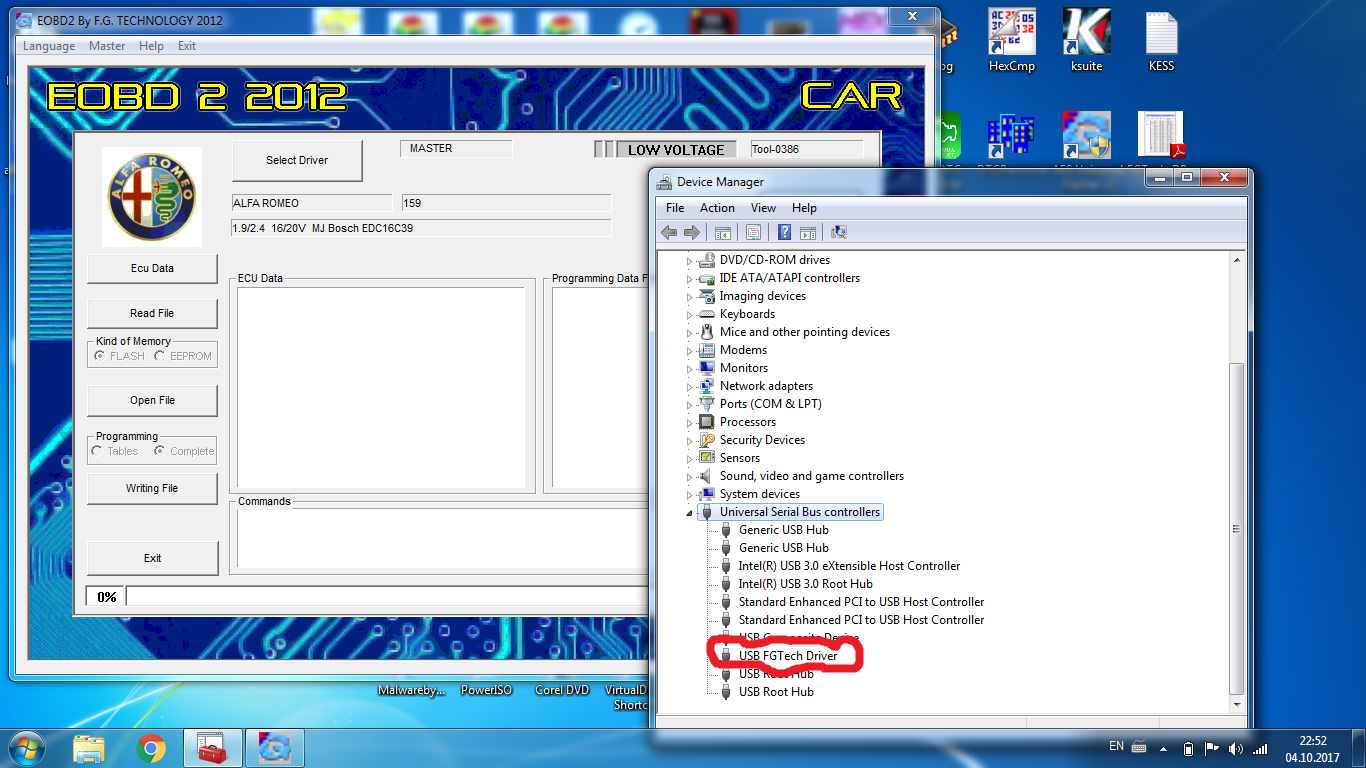
How to Fix Galletto FGtech V54 0386 AES Software Work On Win7 64bit

FGTech Galletto V54 Master is latest version FGTech Galletto chip tuning tool. FGTech V54 is an affordable tuner for all cars, trucks, motorcycles, Marine, BDM MPCxx, BDM Boot Mode, checksum. Some customer feedback FGtech V54 with galletto software canot work on win7 64 bit. how to fix Galletto FGTech V54 0386 AES Software On Win 7 64 bit system? there obd2cartool will share fix solution for you.


Galletto Fgtech V54 0386 AES Software FIX for Win7-64bit Solution:

1. Fix driver for win7-64bit .
DRIVER CANNOT START CODE 10…
AND FUNCTIONING TOGETHER BDM100 SOFTWARE AND DRIVER
ON THE SAME PC WINDOWS 7-64Bbit
2. AES Software
3. Fix read 5% error

https://mega.nz/#!yZ4xwZBL
Pass: obd2cartool.com

Galletto Fgtech V54 0386 AES Software FIX for Win7-64bit Solution


If you want dirctly use Galletto Fgtech V54 0475 ECU chip tuning, could choose it:
FGTECH 0475
Software Version:V2012 ( update by link)
Support windows: XP,WIN7 32/64bit.
FGTECH 0475 support work online
more friendly than Fgtech v53 , easier to operate
Unlock version , can use directly, no need to activate by us
FGTech 0475 work with OBD, Tricore, BDM,Jtag
Car Models:  Cars, Trucks…
FGTech V54 FW 0475 support Language: English, Italian, German, French, Spanish, Portuguese, Czech, Turkish


FGTech Galletto 4 ECU chip tuning Feature:

1. Support more system: windows xp, vista, win7, more friendly than Fgtech v53, much easier to operate. (If you still worried about the software installation, you can buy our laptop package offer.)
2. Compared with V53 software, V54 software is more friendly for laptop. Do not have much requirement for laptop. Easy to install on most laptop. No need activation. Directly install the software and use. DO NOT update the software (You can disconnect the internet when use to avoid this).
3. Hardware updated to new version.
4. Supported: K-line, CANBUS, BDM.
5. User manual about Galletto 4: There is a folder on installation content, you can find the detailed user manual on this folder.

FG Tech Galletto 4 Maste Description:

FGTech Galletto 4-Master this new system developed with high-speed USB2 technology is the fastest and most secure product on the market, it is easy to install and use by anyone. Our system comes furnished complete with all Car, Truck, Motorbyke, Marine, BDM MPCxx , BDM Boot Mode, checksum.
More information :
Whatsapp:+86-13537734676
Live Support: Chat with us online
Email: obd2cartool@hotmail.com
Yahoo: obd2cartool@yahoo.com
Skype: great2obd

Wednesday, December 27, 2017

eMMC programmer adapter reader BGA169/153/162/186/221

eMMC/eMCP 3in1 programming adatapters is an easy use tool to connect chip and PC. Just like a U disk. Includes size limiter: 11.5x13 12x16 12x18 14x18mm. eMMC/eMCP 3 in 1 Adapter socket is designed for test, debug, validation, data recovery and programming of eMMC. obd2cartool.com provides a compact test solution for eMMC used in applications such as mobile, data recorder, the Internet of things, etc.


eMMC/eMCP 3in1 test socket for BGA169/153/162/186/221


1) Support package: BGA169,BGA153,BGA162,BGA186,BGA221
2) Support eMMC: thickness is 0.8 to 1.5mm, pin pitch is 0.5mm
3) Long life span: 100,000(Mechanical)
4) Support all brand eMMC,such as Samsung, Hynix, Sandisk, Toshiba, Intel, Kingston etc
5) Support hot plug, eMMC can be directly connected to PC with the usb connector
6) Identify, reading, accessing and writting data
7) Well designed to connect flat bottom, solder ball,even if no ball.


Product use:
Programming Block, Test Block, for EMMC162 / 221 / EMMC153 / 169 of IC chip testing, read and write


Test Methods:
1. Select and IC matching the bounding box, placed parallel to the direction of the IC SOCKET press within
2, the USB cable into your computer USB port, turn on the power switch on the nest, select the appropriate test procedures


Applicable Package:
EMMC153 / 169 EMCP162 EMCP221 pin pitch 0.5mm


Test Block:
EMMC153 / 169-0.5 EMCP162 EMCP221


YIHUA 3-in-1 BGA Rework Station better support repair work!!


YIHUA 3-in-1 BGA Rework Station Specifications:


Heating power:  600W
Heating area:  130 X130mm
Heating Hugh material:  ceramic heating body
The temperature sensor: K thermocouple type
 temperature range: 50 C-350 C
The thermometer test range: 0-400 C
Use of the environment temperature: 0-40 C
Temperature stability degree is: +_1 C
Envelop dimensions :255 (L) X200 (W) X63 (H) mm


Operation:

A: preheat the original (with desoldering tools use)
1. Put the plug in the PCB powder, will be processed on the original preheater has right in the middle.
2. According to the size of the components of the PCB thickness set temperature, turn on the power switch, the preheater has will immediately; Heating up to you immediately well-posed temperature, then constant temperature.


B: remove the original

1: set up to process of PCB, put to the demolition of components in the preheated dish.
2: according to the size of the components, the thickness of the circuit board, PCB tin melting point, set the temperature.
3: set temperature, the temperature reaches constant after began warming, watch the components foot tin point light began to appear. When he saw the components of melting point feet used tweezers, will pick up components. When components dismantled and can't immediately move board, so when the PCB ministries of components of the tin pin point in near melting point, move board will shift other components. At this time, should will turn off the power to the PCB temperatures drop to room temperature to take down PCB.


Technical Data:

Power consumption 720W
Gun temperature 100-480oC
Gun type Brushless fan , gentle wind
Air flow 120L / MIN
Gun heater material Ferro-alloys
Gun heater resistance 74Ω
Temperature Range 200-480oC
Iron heater material import high-power heater
Iron type blue handle


More details:
Whatsapp:+86-13537734676
Live Support: Chat with us online
Email: obd2cartool@hotmail.com
Yahoo: obd2cartool@yahoo.com
Skype: great2obd
If you have any problem, please do not hesitate to contact us.

Monday, December 25, 2017

Highly recommented Latest Vagcom 20.4.2 En/IT Vcds online updatable version

Have you own obd2cartool.com latest online update vagcom cable? How this original plan vcds updatable cable works? Maybe you have lots of questions to ask before you buy obd2cartool.com best quality vagcom 19.6.1 hex can usb diagnostic cable.

Vagcom 20.4.2 HEX CAN USB Interface VCDS 18.9.1 online update version 16 multilanguage


PC inside: ATMGA162  (The latest chips)
Firmware version: update online

Why choose OBD2cartool Original Plan VCDS Kable 19.6.1:

1. GLOF6 CAN Work, Best Quality Vag com VCDS Cable from obd2cartool.com works with almost of VAG vehicles including VW / Audi / Seat and Skoda

2. 100% same functions with original VCDS. 100% online upgrade by the original website.

3. Installed VCDS 20.4.2 EN Support 16 languages, including of Chinese, English, French, German, Russian, Italian, Swedish, Danish, Czech, polish, Dutch, Hungarian, Portuguese, Spanish, Slovenia, Romania.

4.The latest generation of hardware and firmware,the original design(original PCB and shell,2m long data cable).Support the latest modele car,More stable performance,more comprehensive and stable coding, while the installation of all versions of VCDS.

5.Provide to charge service of software upgrade( firmware and upper software) for others' OEM VCDS .

Customer voice from obd2cartool.com:

Thanks help me update Vagcom 17.1.3 to newer RT VAG COM 17.8.1 version, you are the best!!

Works as genuine, updated to 19.6.1 using genuine software successfully also. A++++

Q: hello friend,i just received cable order vcds 18.9 online update full, may I attach you the file to activate? i need to activate to a netbook I also have, i must send another activation,correct?
A: hello, dear friend, yes, for vcds 18.9 online update cable pls send request license to obd2cartool@outlook.com, if you wanna change to another laptop, need to active again, and also with your order number. Rgds


Good News, I installed released vcds 20.4.2, interface still work smooth, really nice cable!!!

Monday, December 11, 2017

Xmas VIP price for KESS V2 V5.017+ K-TAG V7.020

We provide the Best Price here for KESS V2 V5.017 and K-TAG V7.020 all red full components pcb with ECM TITANIUM, all with Murata . now obd2cartool nice price for KESS V2 V5.017 and K-TAG V7.020, both no need do rework, and will get a big discount and save more money.


BDM Frame With 4 Probes Dimsport bdm frame Mesh And LED Work For Kess KTAG FGTECH BDM100,New LED bdm frame with probe mesh and led is designed for kess ktag fgtech bdm100 ecu programming.


KTAG KESS KTM Dimsport BDM probe adapters full set 22pcs for Denso, Marelli, Bosch, Siemens,KESS KTAG KTM Dimsport BDM Probe full set Adapters especially for ECU programmer used with BDM Frame.


Whatsapp:+86-13537734676
Live Support: Chat with us online
Email: obd2cartool@hotmail.com
Yahoo: obd2cartool@yahoo.com
Skype: great2obd

Wednesday, December 6, 2017

Porsche Wifi Piwis Tester 2 VCI with CF30 Installed V18.100 Software Ready to Use

Samtec Wifi piwis tester ii work with the full system porsche car ,Piwis II Wireless tester comes with best piwis ii VCI , support online function, Semtec Piwis Tester 2 is equiped with the panasonic CF30 laptop and V18.100 software installed ready to use.


Why choose samtec Porsche Piwis II Wireless tester:

1. This Piwis ii wireless tester obd2cartool.com sell is best quality which is made in Tainwan, and it is Semtec Hardware, which is 100% same as the porsche dealer has, not J2534 hardware, the J2534 FTDI hardware comes with different PCB,  and it has no certification make it is not able work with all modules, not support online functions.

2. Certificate is well installed, our Piwis II supports Online Functions, only two functions need to work online: Teach keys immo function and Parts protection function.

Tips:
After finish diagnostic, please quit the connection, and quit to the homepage of the software, then shut off the laptop in correct way(DO NOT Press Power Button, otherwise the system will be damaged).


PIWIS II Developer Mode is engineering mode software for Porsche diagnosis and programming(online & offline), PIWIS II Developer Mode work with Piwis tester ii samtec hardware original plan for Porsche.


PIWIS Tester II scanner is the professional tool which is used by porsche dealer, is able to work with Porsche cars from 1996 to 2017 year, special for the Panamera which can only be diagnosed by it.

And it can work with ENGINE automatio transmission, air-conditioner, SRS, ABS, ASR, MPL, GM, Original antitheft System, KEYLESS GO system, OBDII system.

But some module such as F BCM R BCM DME ELV SRS KEY will ask for porsche online coding with porsche dealer account.

obd2cartool.com support Porsche online programming account one time service, it is to get the porsche piwis coding account via teamviewer to do for one control unit.


OBD2cartool - China Professional Automotive Diagnostic Tool, Test socket adapter, Odometer correction tool ,Auto Key Programmer, Ecu Chip Tuning Tool and locksmith tool Supplier for Diy Car Mechanic, Garage, Workshop.

Some MB SD Connect C4 Xentry Das fault slove ways

Mercedes Benz SD C4 is the professional diagostic tools for Benz vehicle . MB SD Connect C4 with Mercedes SCN Online coding account for MB Star Diagnosis & programming. MB SD Connect C4 12/2017 Xentry software already released .


But when work MB SD Connect C4 for Benz vehicals, many be got some issues , how to slove them? there obd2cartool.com will share some issues already solved by technicians.


1. MB SD Connect C4  fails to connect and comes up with the error message:

Das fault (1.1) -1.501.9878

The Mercedes Diagnostic MB SD Connect C4 is connecting, with diagnosis computer both by lan cable or wifi ( passed and respond to all self tests), no lcd problems or blocked ) . The fault comes when das try to initialize the MB SD Connect C4 mux green led blinks about 10 sec, and this fault comes no matter is from das standalone or launched from xentry.

Software & Install:

xentry12.2015 , das bin, blacklist fixed etc on a dell d630 appid 253 and …

MB SD Connect C4 Star Diagnosis Software Mercedes Benz Xentry Das fault (1.1) -1.501.9878

Solution:

You must change IP address in windows.172.29.127.119:

Go into “Control Panel” ,”Network Connection”,”Local Network Connection”,> right click > properties > choose this one with TCP/IP, select this, chose properties, choose manually ip, and put this ip “172.29.127.119”,mask 255.255.0.0 (as you will get when type ip), rest of field, leave blank.

if it does not work


Try one more time make update of these 2 package.


2. When work with Mercedes Benz SD C4 for Benz vehicle .sometimes will face to error message "DCDI_eErrorCode=204 (204)" when using MB SD Connect Compact 4 star diagnosis. obd2cartool solved the solution of the Error"DCDI_eErrorCode=204(204)" of MB SD C4 following.

Error: DCDI_eErrorCode=204 (204)

tray icon:

Reasons for Error 204:


Star diagnosis SDConnect 4 unit is still not configured correctly.


How to check MB SD C4 Error DCDI_eErrorCode=204 (204)?

1. Make sure you have applied blacklist fix to your Xentry/Llist folder (fixed cal.sli)
2. Punt 6 fully charged AA batteries into your SDunit.
3. Power up the SD unit (connect to a car or 12v OBD source)
4. On the Sdunit Press “Power button” twice till you see “Delete configuration” and then do it. Atfer that you shoud see Name “00”.
5. Connect SDunit and laptop by green LAN cable.
6. Set IP address in Local area connection properties 172.29.127.119
7. Go into SDtool kit and configure your SDunit again. Choose any number from the list. For WiFi connection set IP 192.168.2.111.


How to update MB SD C4 Firmware Procedure?
1. Prepare 6 common AA batteries of 5. Then install the battery by following the “1.Installing the battery for C4.pdf” file.
Notes: The batteries need to be new with fully charged.
2. Connect the MB SD C4 interface with the computer by green cable. Then use the OBD cable to connect the MB SD
 C4 interface with car. If can not connect car, please use the OBD 12V power supply to take place of car.
Or it will display update failure errorcode 602.
3. Open the DAS software. Then check those 3 files Update_automatic, Update_manual, Update_Special from the

C:\programm files\SDconnect Toolkit. If the name of the file is not right, please correct it.


4. Restart the computer.
5. Start to update MB SD C4 Firmware by following the file from: “2.Update SDconnect“.

More information:
Whatsapp:+86-13537734676
Live Support: Chat with us online
Email: obd2cartool@hotmail.com
Skype: great2obd